
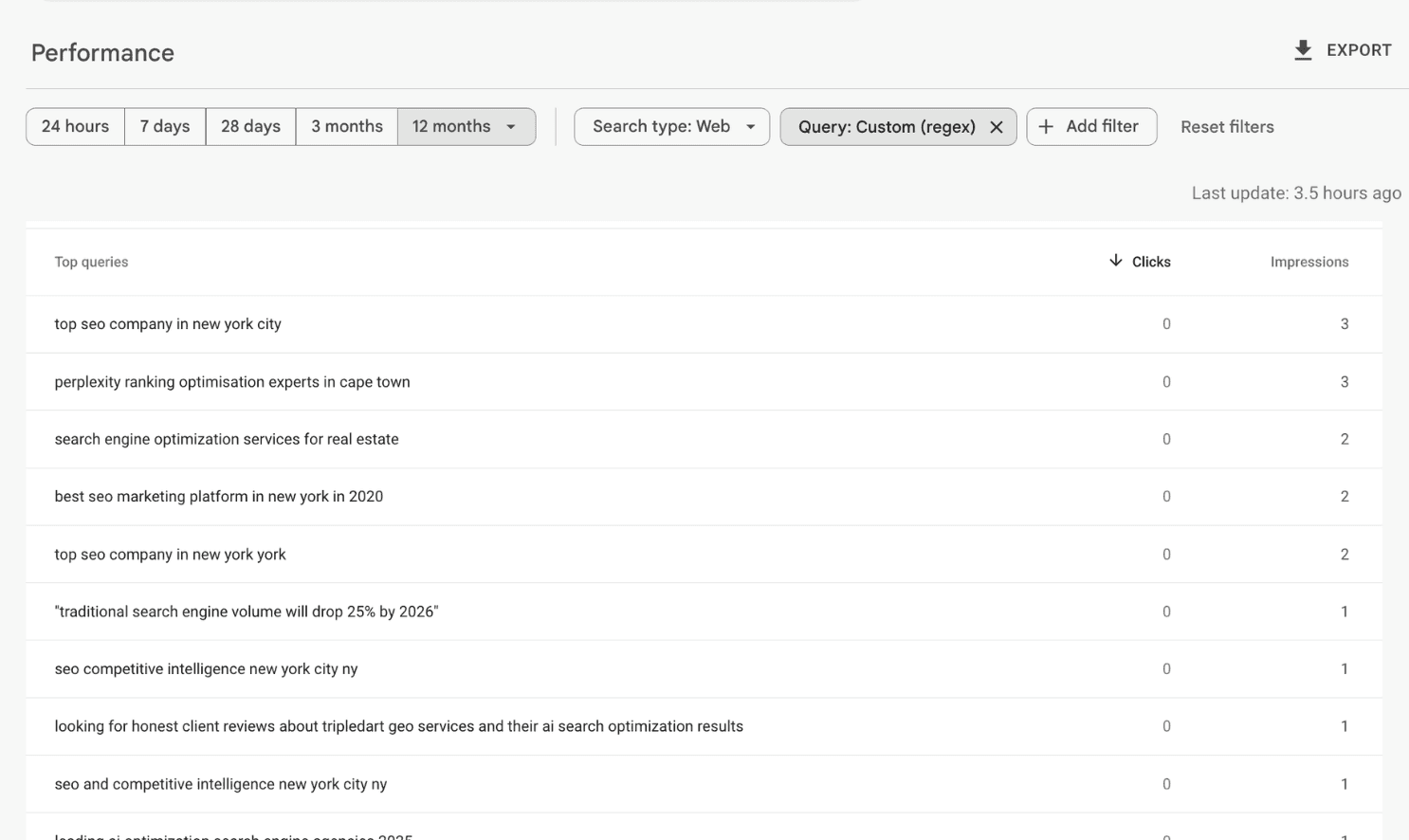
There is a filter buried in Google Search Console that most marketers have never used. It reveals something valuable: the exact searches people are running with the help of AI tools like ChatGPT.
These queries look different from typical searches. They are longer, more conversational, and often phrased as complete questions. When someone asks ChatGPT for help finding something, then pastes that refined query into Google, it shows up in your Search Console data as a 7+ word search.
The good news? You are probably already ranking for some of these queries. You just do not know it yet.
Here is how to find them and turn them into ranking opportunities.
Step 1: Open Google Search Console and Apply the Regex Filter
Go to Google Search Console. Navigate to Performance, then Search Results.
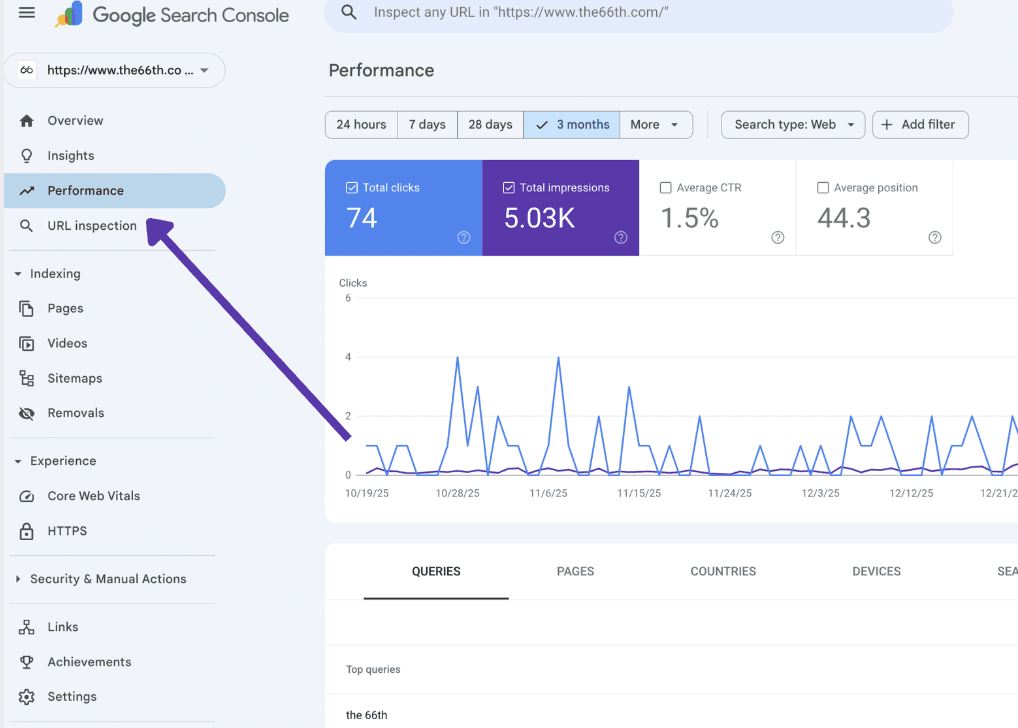
Click Add Filter, then select Query.
Choose Custom (regex) from the dropdown.
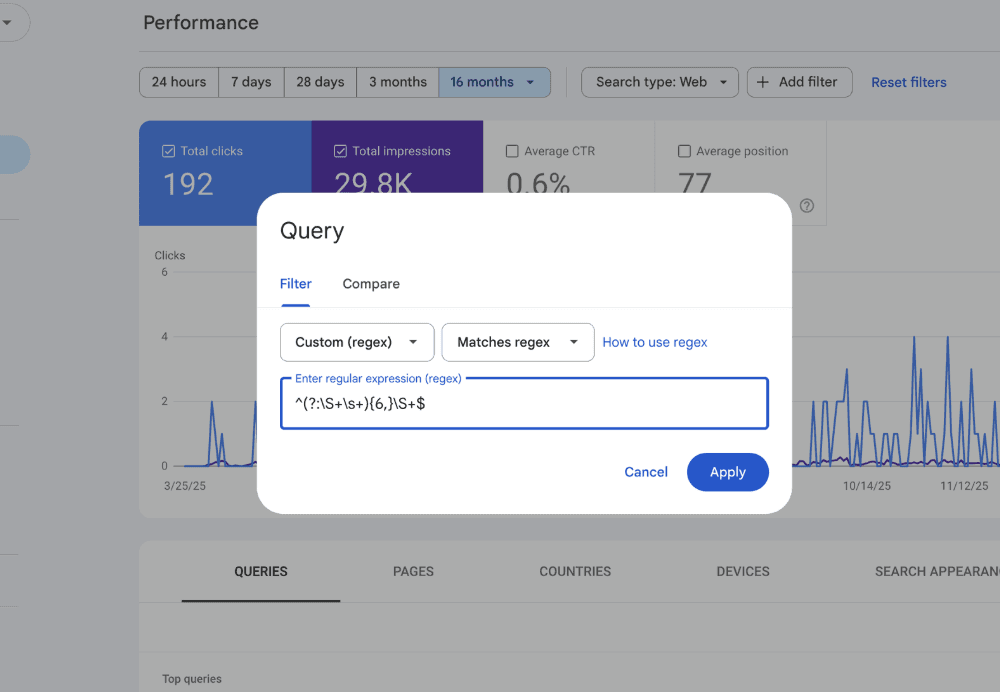
Paste this regex pattern:
This filters for searches containing at least seven words. These longer queries are typically conversational searches, and many of them come from users who refined their search with AI assistance before typing it into Google.
Click Apply.
Step 2: Review the Queries You Are Already Ranking For
Once the filter is applied, you will see a list of long-tail queries where your site is getting impressions.
When I ran this on The 66th, queries like these appeared:
"perplexity visibility optimisation service in cape town"
"top agencies for ai seo services 2025"
"top 10 ai seo experts leading the industry in 2025"
"how can an seo agency help to build your business"
These are not random searches. They are highly specific, intent-rich queries that signal someone is actively looking for a solution. And because you are already showing up for them, you have a foundation to build on.
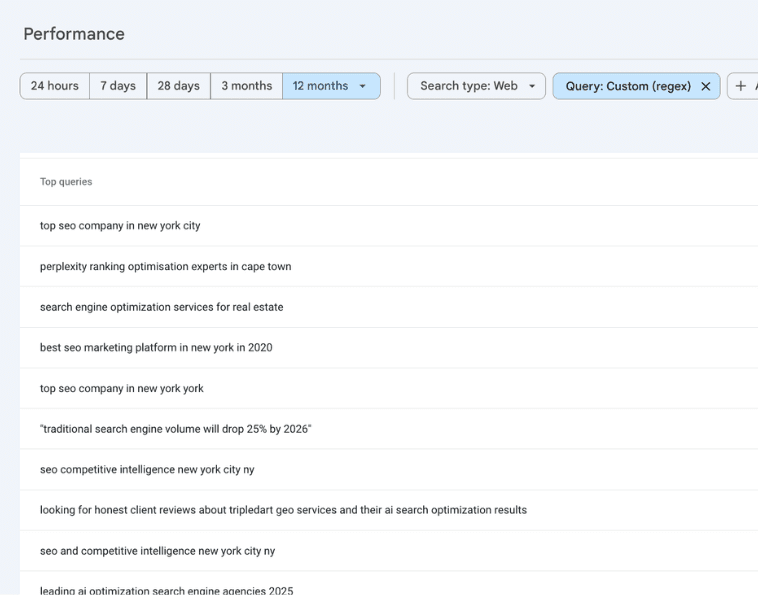
Sort by Impressions to see which queries have the most visibility potential. Then look at your Position column. Anything ranking between position 5 and 20 is a prime candidate for optimization.
Step 3: Analyze What Is Currently Ranking
Pick one of these queries. Copy it and paste it into Google.
Look at the top three results. What do they cover? What headings do they use? Where are the gaps?
Use the Detailed SEO Extension to quickly extract all the headings from those top-ranking pages.
This gives you a structural blueprint of what Google already rewards for that query.
Step 4: Build a Better Version
Now you have the raw material. Take those competitor headings and ask yourself:
What are they missing?
What can I explain more clearly?
What real experience can I add?
You can use ChatGPT or Claude to help you synthesize this into an outline. A prompt like this works well:
"These are the headings from the top three articles ranking for [your keyword]. Write headings for my own article that combines the best of everything and fills in the gaps."
Once you have an outline you are happy with, write the article. Or have AI draft it, then edit heavily.
You can read our examples of blogs.
Step 5: Add What AI Cannot Fake
This is where most people stop. They publish the AI-assisted draft and move on.
That is a mistake.
Before you publish, add the elements that make content rank and convert:
Your own experience. A sentence like "I tested this on 12 client sites and saw results within two weeks" adds credibility that AI cannot manufacture.
Logos of companies you have worked with. Social proof signals trust.
Real screenshots. Show your actual Search Console data, not stock images.
Video if you have it. Embedded video increases time on page.
Remove em-dashes. They are an AI tell. Rewrite sentences to avoid them.
The goal is to make your content unmistakably human and experience-backed. That is what generative engine optimization rewards.
Why This Matters for AI Search
Queries with 7+ words are not just long-tail keywords. They are signals of how search behaviour is shifting.
When someone uses ChatGPT to research a problem, they often end up with a refined, specific query they then search on Google. These hybrid searches are growing fast as AI tools become part of daily workflows.
If you optimize for these queries now, you position yourself for two wins:
Higher rankings on Google for specific, low-competition terms
Better visibility in AI answers because your content matches the conversational patterns AI tools are trained on
This is the overlap between SEO and GEO. The same content signals that help you rank on Google also make you more likely to be cited by ChatGPT, Perplexity, and Google AI Overviews.
Quick Recap
Go to Google Search Console → Performance → Search Results
Add a regex filter:
^(?:\S+\s+){6,}\S+$Find queries where you are ranking position 5-20 with decent impressions
Analyze the top-ranking competitors for that query
Create content that combines the best of what ranks with your own expertise
Add real experience, screenshots, logos, and media before publishing
You are already showing up for these searches. The question is whether you are going to optimize for them or let competitors take the click.
Related reading: